




If you are starting or growing a business, you know you need an online presence that markets your company and brings in leads while you run everything else. The harder question is what that presence should be. Do you need a website, or a web application? Ask a few developers and you will get a few different answers, because the two overlap. Both run in a browser, both have links and navigation, and both can have login pages.
Developers like to joke that the difference is the budget. There is some truth in it, since interactive software takes more design and engineering than a content site. But the practical difference is simple:
- A website exists mainly to share information and persuade visitors to take a next step.
- A web app exists to let users complete a task, and it responds to their input.
The line is blurry in everyday use. A social network is a good example. If you only look at a public page, it behaves like a website. As soon as you log in, post, react and get personalized suggestions, you are using an application that processes your data on a server and changes what it shows you. A web app is software that runs on a remote server (often with logic running in your browser too) and depends on user interaction.
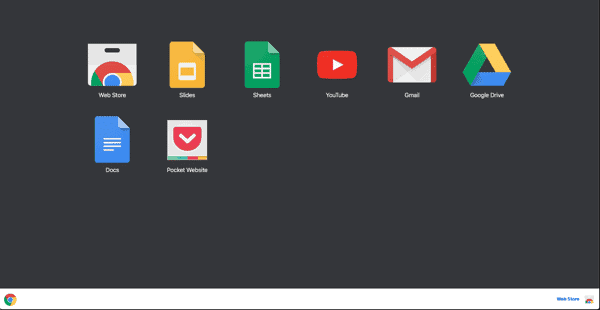
Website, Web App, Or Both?
A few distinctions help sort out which one fits:
- Websites are primarily informational. Visitors find what they need, decide whether to contact or buy, and go about their day. Marketing sites, brochure sites, portfolios, content hubs and most ecommerce storefronts fall here.
- Web apps are built for interaction. Users sign in, enter data, and get results that are specific to them. Think email, document editors, project tools, booking and scheduling systems, client portals and dashboards.
- The two are not mutually exclusive. A website can contain application features, like a quote calculator, a member area, a product configurator or an online learning site with a coding sandbox next to the video. Many businesses run a marketing site and a separate app side by side.
Your Options In Practice
The choice used to be “site or app.” Today there is a wider menu, and the right one depends on what you need users to do.
A content or marketing website. If the goal is to explain what you do, rank in search, and capture leads through forms and calls, a well-built website is the right tool. Platforms like WordPress and Shopify, or a custom build, cover most needs. Interactivity can be added in small pieces without turning the whole thing into an application.
A website with application features. When you need things like gated content, account areas, calculators, booking or custom ecommerce logic, you can often extend a CMS or ecommerce platform with custom development instead of building from scratch. This is often the most efficient path for growing businesses.
A progressive web app (PWA). A PWA is a website that uses modern browser features, such as a service worker and a web app manifest, to behave more like an installed app. It can be added to a phone’s home screen, work with spotty connections, and send notifications on supported platforms. It is a good fit if you want an app-like experience without maintaining separate iOS and Android apps. Keep in mind that device support varies, and some features are more limited on iOS than on Android.
A custom web application. If your business depends on a unique workflow, such as an internal operations tool, a customer portal, a logistics or quoting system, or a product you plan to sell, a purpose-built web app gives you control over the data, permissions and logic. It takes more planning, security work and ongoing maintenance than a website, so it is worth defining the problem clearly first.
Off-the-shelf SaaS. Before building anything, check whether an existing software-as-a-service product already does the job. For standard needs like scheduling, CRM, invoicing, help desk or email, subscribing to a proven tool is usually faster and more reliable than building your own. Then connect it to your website or other systems with integrations, and build custom only for what is truly specific to you.
How To Decide
Ask a few plain questions. Do visitors mainly need to read and decide, or do they need to log in and do something? Will each user see their own data? Does the work depend on a workflow nobody sells? How often will it change, and who will maintain it? If the answers lean toward reading and contacting you, start with a website. If they lean toward personalized tasks and data, look at a SaaS tool first, then a custom or hybrid solution when nothing off the shelf fits. Many businesses start with a strong website and add application features as the need becomes clear. Your search visibility matters in every case, and our piece on how small businesses can use digital innovation to grow is a good companion read.
Need help deciding whether your business needs a website, a web app or both? Our web development team can scope the options with you and recommend the simplest approach that does the job. Contact us and we will help you take your business beyond the summit.



Comments
Join the conversation